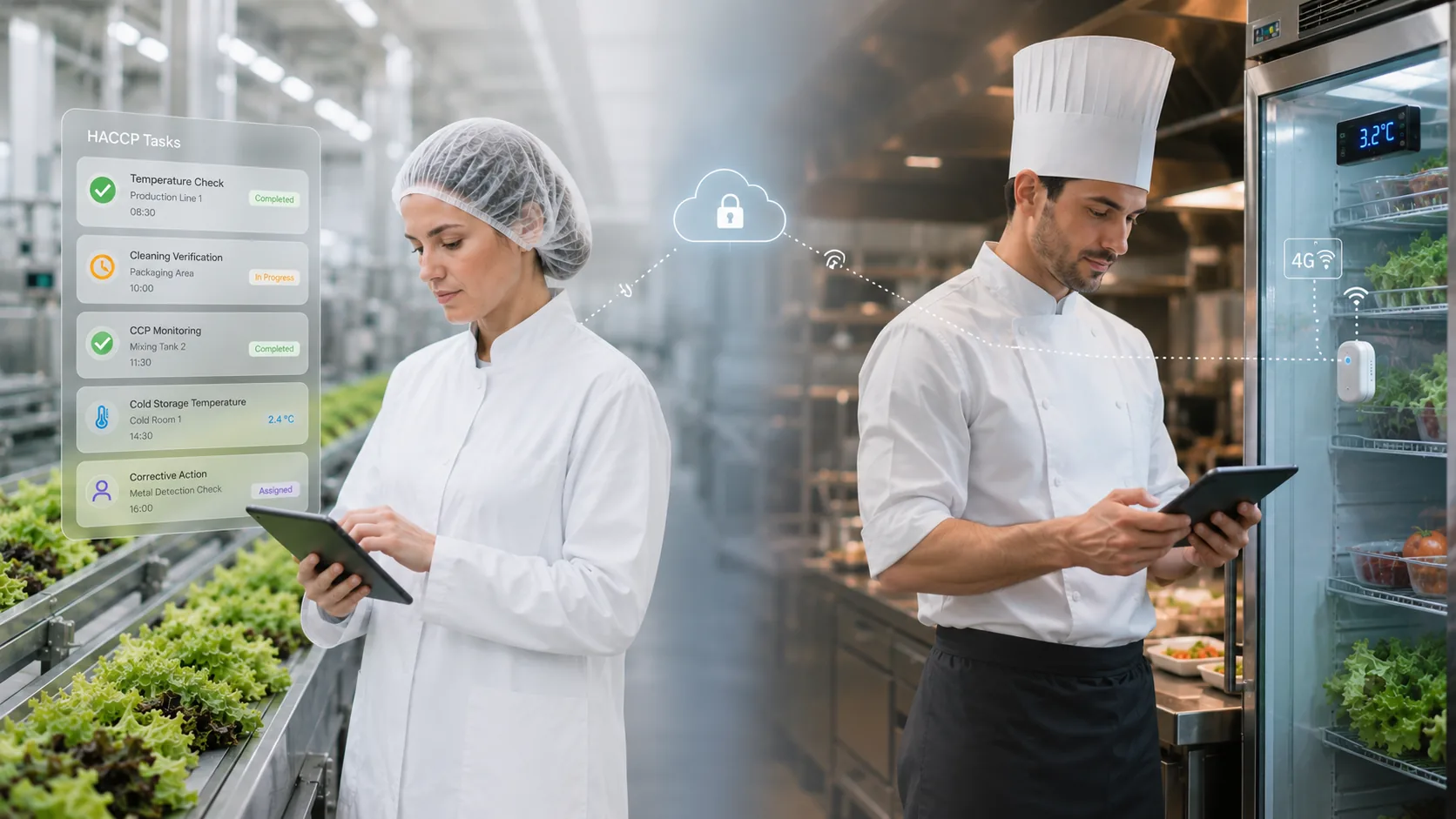
Kitchen teams in Australia still juggle clipboards, binders, and end of shift checklists. Food safety software reduces that load by capturing checks digitally, automating reminders, and turning daily records into audit ready reports without chasing paper.
It also helps venues stay consistent across shifts, sites, and staff changes. When the process is simpler, they are more likely to complete it properly and on time.
What paperwork do kitchen teams usually handle in Australian venues?
They commonly manage temperature logs, cleaning schedules, allergen registers, delivery checks, pest sighting logs, corrective actions, and staff training records. Many also file supplier declarations, MSDS or SDS sheets, and maintenance notes for fridges and dishwashers.
In Australia, these records often support food safety programs aligned with local council expectations and state based requirements. The result is a steady stream of forms that need completing, storing, and retrieving fast.
How does food safety software replace paper checklists day to day?
It swaps printed forms for guided digital tasks on a tablet, kiosk, or mobile. Instead of finding the right sheet, staff open a task list, enter readings, tick steps, and add notes in seconds.
Because the workflow is standardised, they follow the same steps every time. Food safety software also reduces double handling, since data is captured once and stored automatically.
How does it reduce time spent chasing missing forms?
It reduces “who forgot to do it” detective work by showing what is completed, what is overdue, and who actioned each task. Managers can check completion live, even when they are offsite.
That visibility removes the daily scramble to locate paperwork before service ends. With food safety software, they spend less time following up and more time supporting the kitchen.
How do automated reminders cut admin load for supervisors?
Automated prompts nudge staff when tasks are due, such as cool room checks, hot hold temps, or closing cleans. They no longer rely on memory, shift handovers, or a supervisor constantly reminding everyone.
That means fewer gaps, fewer last minute rushes, and fewer handwritten backfills. Food safety software turns routine compliance into a managed schedule rather than a manual chore.

How does it simplify temperature logging across fridges, freezers, and hot holding?
Instead of writing numbers into rows, they enter readings directly into a digital log. Some setups also support connected probes or Bluetooth thermometers, reducing manual entry even further.
If a reading is out of range, the system can prompt corrective actions on the spot. Food safety software helps them fix issues immediately and records what they did without extra paperwork.
How does it reduce paperwork during deliveries and receiving checks?
Receiving checks often mean multiple forms: delivery temperature, packaging condition, use by dates, and supplier notes. Digital receiving tasks guide staff through each step and can require photos for proof.
They can also tag issues to a supplier or product line for later follow up. With food safety software, delivery paperwork becomes a quick workflow that is searchable by date, supplier, or site.
How can digital corrective actions remove extra forms and incident reports?
When something goes wrong, paper systems often create more paper: an incident report, a corrective action sheet, and a manager sign off. Digital corrective actions bundle that into one record tied to the original check.
They can add notes, assign a follow up task, and attach photos as evidence. Food safety software reduces the “form after the form” problem that slows teams down.
How does photo and timestamp evidence reduce the need for written explanations?
Photos of probe readings, cleaned areas, or damaged packaging can replace paragraphs of handwriting. Timestamps and user stamps show when the task was completed and by whom.
That makes records clearer for managers and auditors. With Food safety software, they can prove completion quickly without writing long notes that vary between staff.
How does it make cleaning schedules easier to manage than paper?
Paper cleaning schedules are easy to miss and hard to verify. A digital schedule lists daily, weekly, and monthly tasks with clear steps, sign offs, and escalation if they are overdue.
They can also update procedures without reprinting sheets for every kitchen. Food safety software keeps cleaning tasks consistent across busy services and staff turnover.
How does it streamline staff training records and competency sign offs?
Many venues keep training logs in folders or spreadsheets, then print sign off sheets. Digital training modules and acknowledgements can sit alongside daily tasks, with completion recorded automatically.
They can also track refresher training for allergens, hygiene, and critical limits. Food safety software reduces training paperwork and gives managers a quick view of who is current.
How does it help with allergen management documentation in Australian kitchens?
Allergen paperwork can include ingredient lists, menu matrixes, supplier updates, and change logs. Digital systems centralise allergen info and record when staff review updates.
They can also store photos of labels and link them to menu items for quick checks. With food safety software, they spend less time managing scattered allergen documents and more time serving safely.
How does centralised storage cut filing, printing, and document retrieval?
Paper records take up space and time: printing, hole punching, binder sorting, and archiving. Digital records are stored in one place, searchable by date range, location, task type, or item.
That matters when councils or auditors request specific days or categories. Food safety software reduces the cost and hassle of storing years of paper and finding it quickly.
How does it speed up audits and council inspections?
Audits often trigger a paperwork scramble, especially if records are split across folders and sites. Digital dashboards and exportable reports allow managers to pull temperature logs, cleaning completion, and corrective actions in minutes.
They can also show trends, not just single entries. Food safety software helps them walk into an inspection organised, with clear evidence ready to share.
How does it reduce errors caused by handwriting, duplication, or lost pages?
Handwritten logs are prone to illegible entries, missed lines, and inconsistent units. Pages can tear, go missing, or be filled in after the fact with guesswork.
Digital entry standardises fields, forces required steps, and reduces duplicate recording. With food safety software, they improve accuracy while cutting the admin time spent correcting records.
What does “less paperwork” look like during a real Australian service period?
It usually means fewer interruptions, not more screens. Staff complete checks in short bursts, often tied to natural moments like opening, delivery time, and close.
Managers stop collecting sheets and start reviewing exceptions. Food safety software makes compliance quieter in the background, so the team can focus on prep, timing, and quality.
What should kitchen teams look for to maximise paperwork reduction?
They should look for fast task completion, offline access for weak reception areas, simple reporting, and easy site setup across multiple venues. Device flexibility matters too, since some teams prefer a wall mounted tablet while others use mobiles.
They also benefit from strong support and local relevance for Australian food businesses. The best result is when food safety software fits their workflow instead of forcing new admin.
How can kitchens roll it out without creating extra work at the start?
They can start with the highest friction paperwork, usually temperatures and cleaning, then expand to receiving and training once habits form. Clear roles help, such as one manager owning setup while shift leaders drive daily use.
It also helps to keep task lists tight in the first month. When implemented steadily, food safety software reduces paperwork quickly without overwhelming the team.
Kitchen teams commonly handle temperature logs, cleaning schedules, allergen registers, delivery checks, pest sighting logs, corrective actions, and staff training records. They also file supplier declarations, MSDS or SDS sheets, and maintenance notes for equipment like fridges and dishwashers. These records support food safety programs aligned with local council and state requirements.
Food safety software swaps printed forms for guided digital tasks accessible on tablets, kiosks, or mobiles. Staff follow standardized workflows by entering readings, ticking steps, and adding notes quickly. Data is captured once and stored automatically, reducing double handling and ensuring consistency across shifts and sites.
The software provides real-time visibility of completed, overdue tasks and who performed them. Managers can monitor completion live, even offsite, eliminating the daily scramble to locate paper forms before service ends. This reduces follow-up time and allows supervisors to focus more on supporting the kitchen team.
Automated prompts notify staff when tasks like cool room checks or closing cleans are due, removing reliance on memory or manual reminders. This leads to fewer gaps in compliance, less last-minute rushing, and minimal handwritten backfills by turning routine checks into a managed schedule rather than a manual chore.
Digital logging allows staff to enter readings directly into electronic logs via devices. Some systems integrate connected probes or Bluetooth thermometers to reduce manual entry further. When readings fall outside safe ranges, the software prompts immediate corrective actions and records responses without extra paperwork.
Digital receiving tasks guide staff through each step—checking delivery temperatures, packaging condition, use-by dates—and can require photos as proof. Issues can be tagged to suppliers or product lines for follow-up. This creates a quick, searchable workflow by date, supplier, or site that replaces multiple paper forms.